Upload your PDF and set Italian as the target
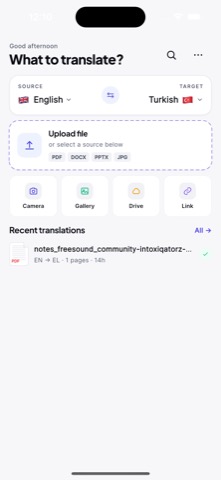
Open the PDF from Files, email, browser downloads, chat apps, or cloud storage, choose Italian as the target language, and keep the original page close so you can compare the Italian result.
 AI PDF Translator
PDF language translation
Use AI PDF Translator to read Italian contracts, travel paperwork, and study material on your phone, then compare key passages against the original.

Translate PDF to Italian
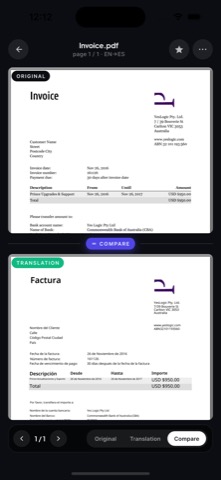
Set Italian as the target language, then review the translated PDF against the original so names, numbers, dates, and tables stay easy to check in Italian.
Italian business and legal documents lean on formal phrasing and long sentences. Review terminology in contracts, certificates, and official forms before relying on the translated Italian text.
Open the PDF from Files, email, browser downloads, chat apps, or cloud storage, choose Italian as the target language, and keep the original page close so you can compare the Italian result.
Use AI translation to grasp the document in Italian quickly, then review formatting-sensitive parts such as tables, invoices, signatures, dates, and names that matter in Italian documents.
School, travel, and everyday business files are good Italian use cases. Legal, medical, financial, and certified Italian documents still need a careful human check.
Related languages
FAQ
Yes. AI PDF Translator is positioned for mobile PDF translation to Italian, with review steps for scanned pages, tables, numbers, names, and important document details.
Use AI translation for understanding and drafts. Certified, legal, medical, financial, and safety-critical documents should be reviewed by a qualified professional.
Scanned pages need OCR before translation. Clear scans usually translate better than blurry photos, curved pages, stamps, or handwriting.