
Mobile app
A PDF translator app built for mobile documents
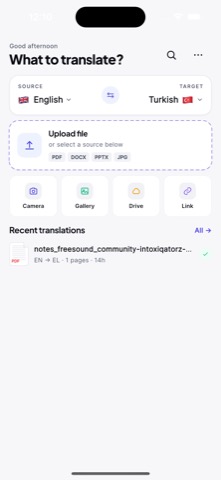
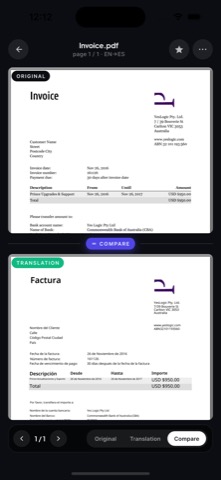
Open a PDF on your phone, translate the important pages, and review the result without sending yourself files or waiting until you are back at a desktop.

PDF translator app
Why this PDF translator app workflow works
Open a PDF on your phone, translate the important pages, and review the result without sending yourself files or waiting until you are back at a desktop.
Designed for quick document decisionsWhen a file arrives in another language, the first job is usually understanding what it says. AI PDF Translator focuses on fast comprehension, clear review, and document context.
Works for real-world mobile file flowsUse it with files from email, chat apps, cloud drives, class material, client messages, and travel bookings. A good mobile translator should fit the way PDFs actually arrive.
Simple enough for daily useThe app avoids a heavy desktop-style workflow. Translate, read, compare, and move on. That is the core job.
FAQ
Common questions about PDF translator app
Is AI PDF Translator an iPhone app?
Yes. AI PDF Translator is an iPhone and iPad app you can download from the App Store. The website mirrors the same PDF translation workflow.
Can I use the app for work PDFs?
Yes, it is positioned for business documents as well as school, travel, and research use. Sensitive documents should be handled according to your organization policies.
Does it replace a professional translator?
No. AI translation is useful for comprehension and drafts, but high-risk legal, medical, or certified translations should be reviewed by a qualified professional.